
DRAFT SYSTEM QUICK TIPS Glycol / Long Draw
Resetting Your FOB
Quick reference for resetting a Foam-On-Beer (FOB) detector after a keg change — for glycol / long-draw systems.
FOB detectors are standard equipment on long-draw glycol systems — they sit inline between the coupler and the trunk line, inside the walk-in cooler. When a keg kicks, the FOB's float drops and seals the line so it stays full of beer instead of filling with foam. After every keg change, it must be manually reset before beer will flow again. The reset steps differ slightly by brand — find your type below.
Polycarbonate
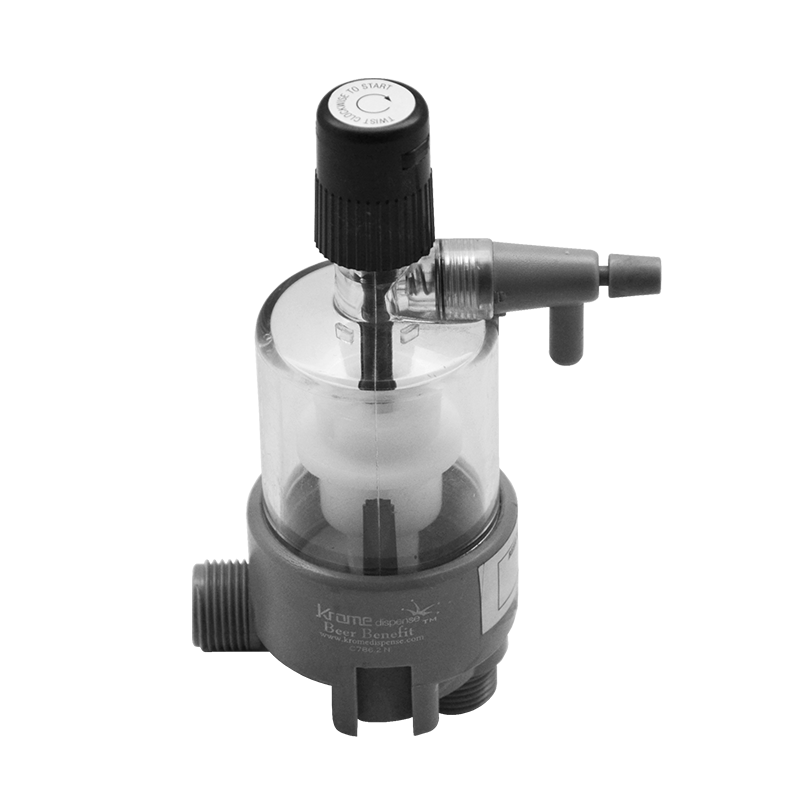
- Push and hold the side vent button until the chamber fills completely with clear beer.
- Twist the top knob clockwise until it locks into position and stops.
- The keg is ready to pour.
Micromatic
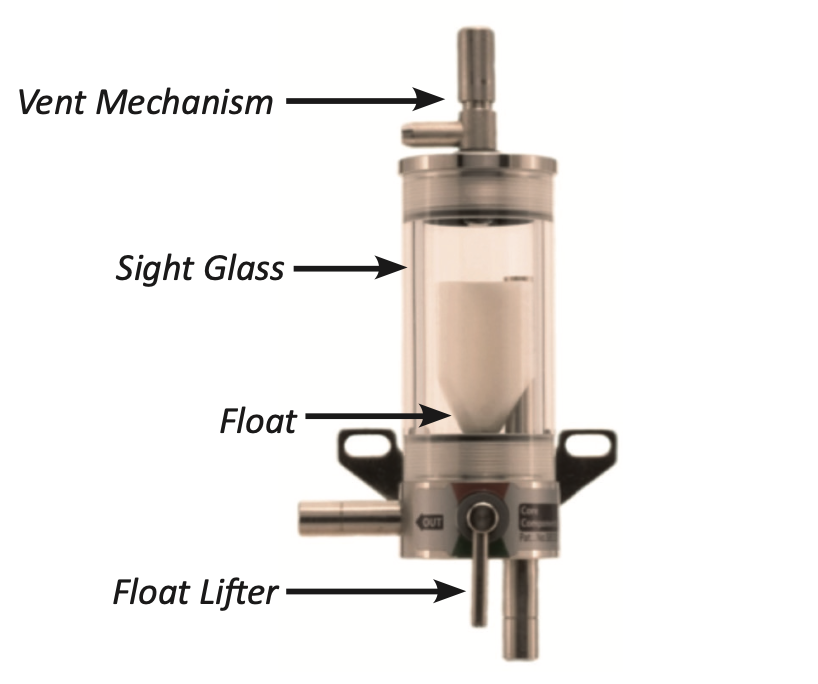
- Push down and hold the vent knob to refill the chamber with clear beer (some beer/foam will escape through the vent line).
- Rotate the float release 180° until the red mark on the base is fully visible.
- The keg is ready to pour.
Tecflo
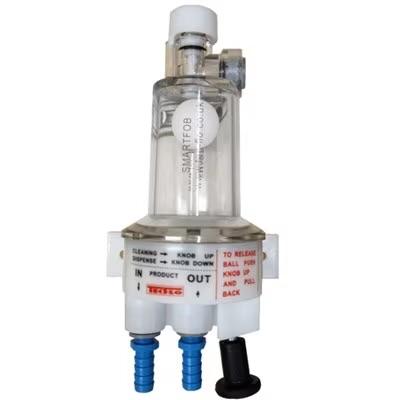
- Press and hold the push-button bleed valve until the chamber refills with beer.
- Push the float release lever up to open the line.
- Return the lever back down to lock in the reset.
If a FOB keeps shutting off while the keg still has beer in it:
This usually means CO2 breakout inside the chamber or a worn coupler seal letting gas into the beer line. Flag the line for a technician — running a bypassed FOB long-term defeats its purpose and risks a bigger mess on the next keg change.
FOBs need the same cleaning attention as beer lines — residue will eventually cause the float to stick, mimicking an empty keg. Include the FOB in your regular line-cleaning rotation.